
Requesting Live Video (Mobile App)
Updated:
You can request live video from an active asset with a paired camera using the Fleet page on the Mobile app:
- Navigate to the Fleet page.
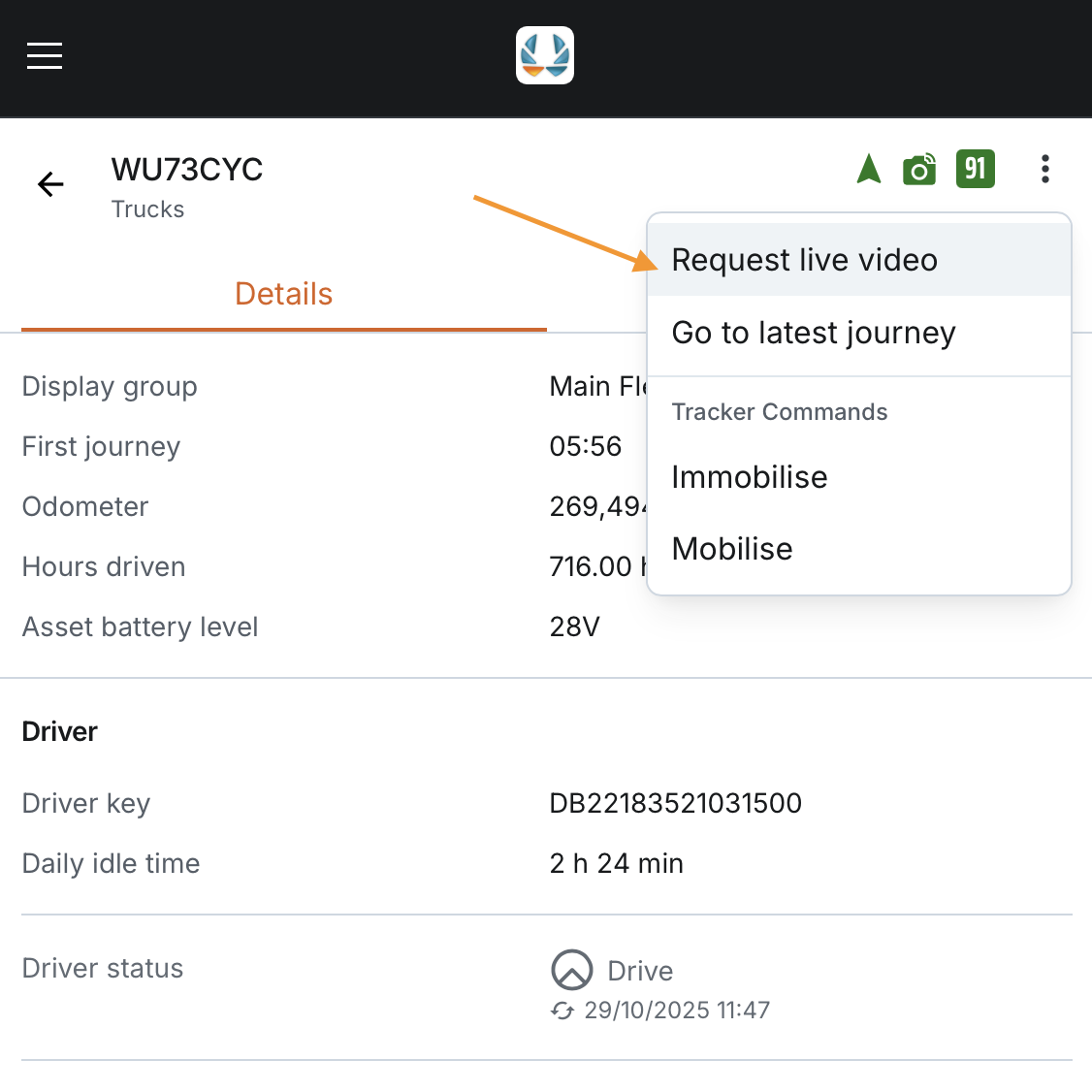
- Select the asset and open the 3 dots menu.
- Tap Request Live Video.
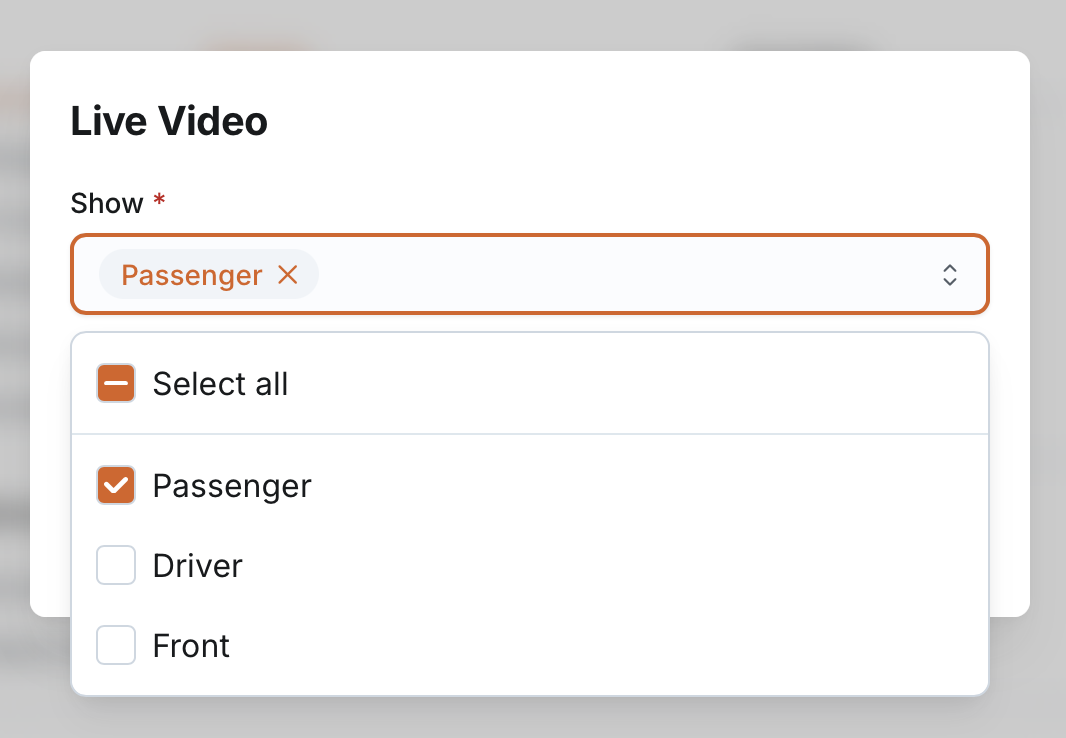
- Select the camera channel(s) you want to stream from.
- If the asset has more than one channel, all are unchecked by default.
- If the asset has only one channel, it is checked by default.
- Once selected, the live video streams appear on a separate page dedicated to video playback.
- You can navigate back to the asset details page at any time.

Notes for Mobile App:
- The expand/minimise option is not available on mobile.
- Global countdown timer and status indicators apply in the same way as on the WEB app.
