
How to Sign Up for the Platform: Step-by-Step Guide
Updated:
Access to the platform is by invitation only. To open an account, please contact your system administrator or the platform's support team.
Step-by-Step Guide to Signing Up:
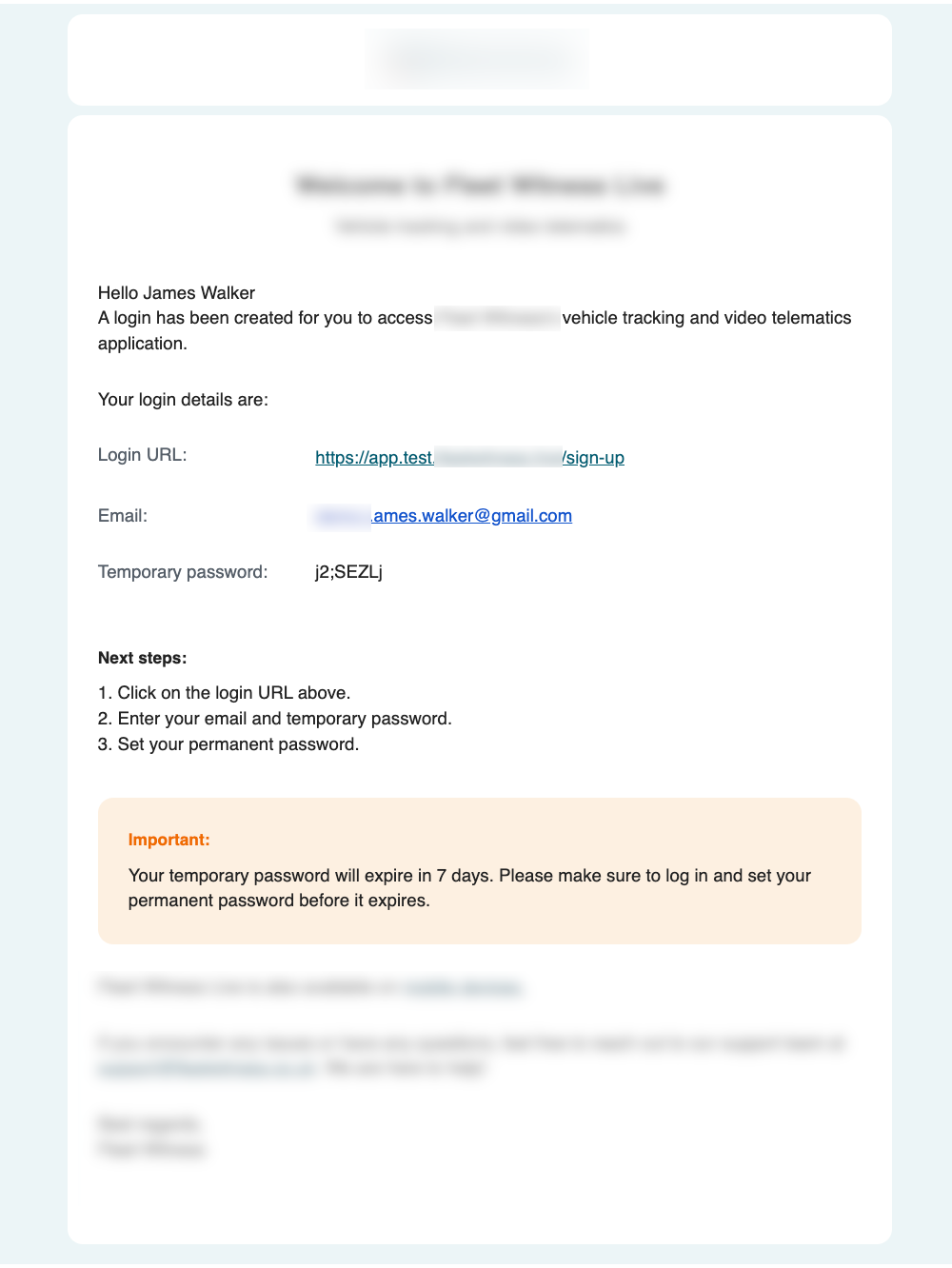
1. Receive the Welcome Email:
- Once invited, you will receive a welcome email containing your temporary credentials.
- Note: The URL in the welcome email expires after 7 days. If you do not receive the email, check your spam or junk folder.
2. Access the Sign-Up Page:
- Open the welcome email you received.
- Click the URL provided in the email to be redirected to the sign-up page.
- Ensure you are on the "Sign Up" page for the first-time setup. If you see a "Sign In" page, revisit the original email and use the provided link to navigate to the correct page.
3. Enter Temporary Credentials:
- Enter the email address and temporary password from the welcome email.
- Click "Sign Up" to proceed.
- If the email and temporary password combination is invalid or expired, an error message will appear: "Your login details have not been recognised." Contact support if you encounter this issue.
4. Set Your Permanent Password:
- If the credentials are valid, you will be prompted to set a permanent password.
- Enter your new password and confirm it by entering the same password again.
- Password Requirements:
- Be between 8 and 64 characters long.
- Contain at least one uppercase letter, one lowercase letter, one number, and one special character.
- As you type, dynamic hints will guide you to meet these requirements.
5. Confirm Password:
- Ensure both password fields match before proceeding.
6. Complete Sign-Up:
- Click "Confirm" to finalise the process.
- If successful, you will see the message: "Congratulations! You have successfully signed up. Please log in to continue."
- You will be redirected to the sign-in page, and your user status will be updated to ACTIVE.
For additional assistance, contact the support team or refer to the help section at [insert link].
