Viewing Asset Group Details
Updated:
The Asset Group Details page allows you to view all the settings and configurations for a specific asset group.
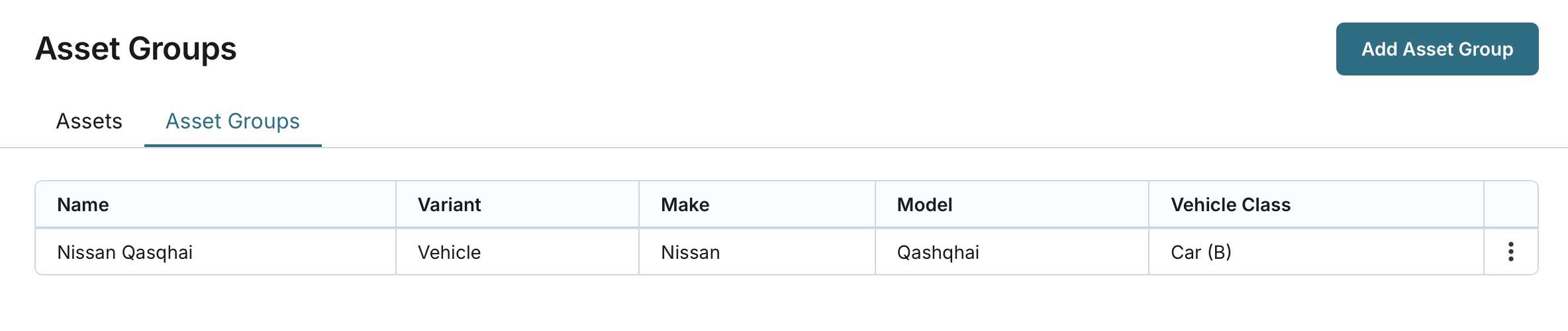
Access the Asset Groups Page:
- Navigate to the Assets page.
- Click on the Asset Groups tab.
- From the list of asset groups, click the desired asset group to open its details.
View Group Information:
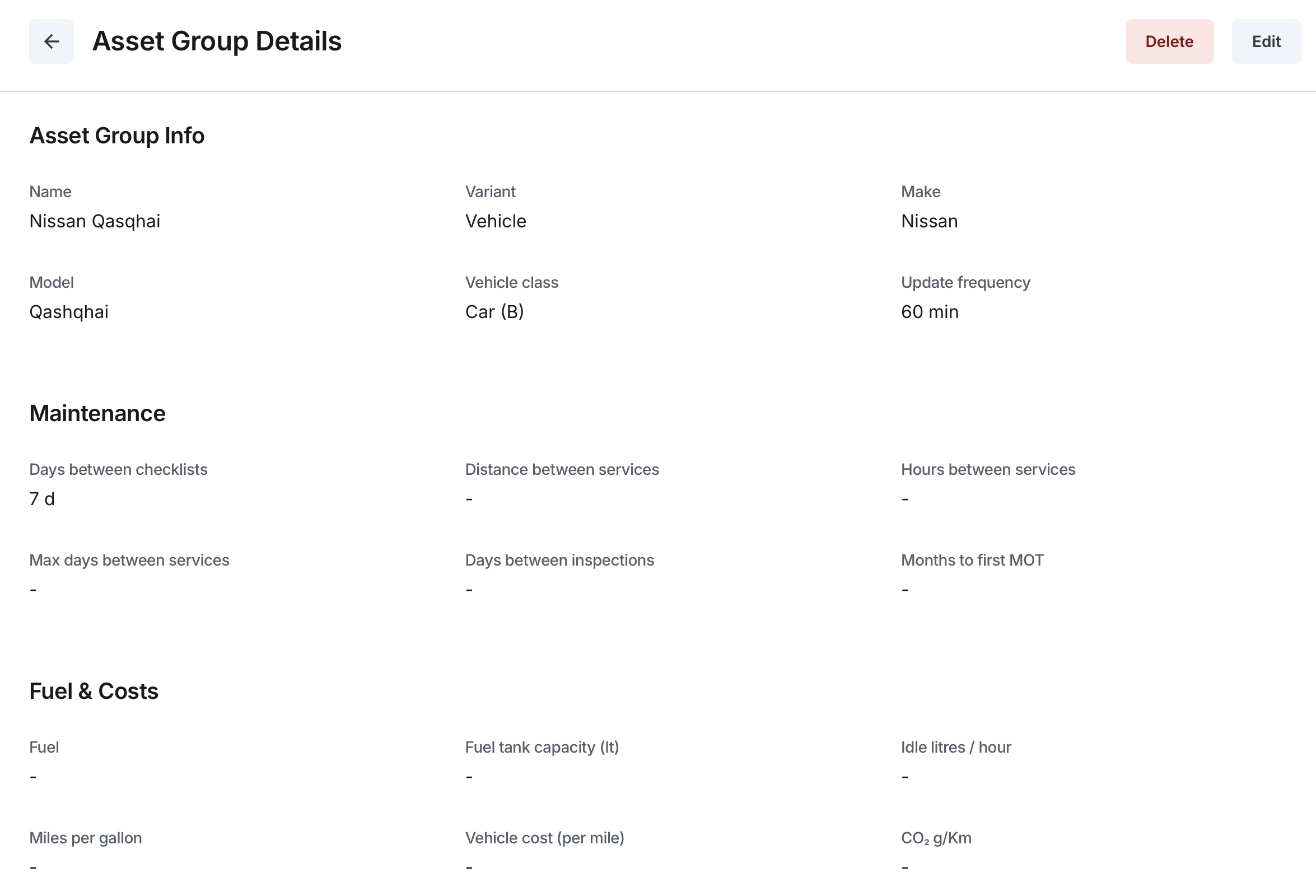
- In the "Asset Group Info" section, you can view:
- Name: The unique name of the asset group.
- Variant: Displays whether the group is classified as "Vehicle," "Static Asset," or "Trailer."
- Make: Shows the manufacturer or brand (if provided).
- Model: Displays the model designation (if provided).
- Vehicle Class: For vehicle variants only, shows the vehicle type. This field does not apply to "Static Asset" or "Trailer" variants.
- Update Frequency: Indicates the time threshold (in minutes) after which the system assigns "Unknown" moving status if the tracker hasn’t updated within that period.
- In the "Maintenance" section, you can view:
- Days Between Checklists
- Distance Between Services (Vehicle only)
- Hours Between Services (Vehicle only)
- Max Days Between Services (Vehicle only)
- Days Between Inspections
- Months to First MOT
- In the "Fuel & Costs" section (Vehicle Variant Only), you can view:
- Fuel
- Fuel Tank Capacity (lt)
- Idle Litres / Hour
- Miles per Gallon
- Vehicle Cost (Per Mile)
- CO₂ g/Km
- In the "Excessive Thresholds" section (Vehicle Variant Only), you can view:
- Idle Time: The time a vehicle needs to be stationary before it is considered idle.
- Excessive Idle Time: The time a vehicle needs to be idle before it is considered to have been idle for an abnormal period.
- Excessive Speed: The threshold (in % Kph or Mph) that triggers excessive speeding events.
- Excessive Journey Duration: The duration in hours and minutes after which a journey is considered excessively long.
- Excessive Journey Distance: The distance after which a journey is considered excessively long.
- Excessive RPM Threshold: The engine RPM threshold that triggers an excessive RPM event.
- Excessive Accelerator Threshold: The accelerator usage threshold (in %) that triggers an excessive acceleration event.
- Excessive Torque Threshold: The torque usage threshold (in %) that triggers an excessive torque event.
- In the "Expenses" section (Vehicle Variant Only), you can view:
- Mileage Rate: Rate per mile.
- Mileage Reduced Rate: Reduced rate per mile.
- Mileage Threshold: Mileage after which the reduced rate applies.
- In the "Digital Inputs" section, you can view:
- Digital Input 1, 2, 3, 4: Each input shows:
- Name: The name of the input.
- Off Text: The text displayed when the input is off.
- On Text: The text displayed when the input is on.
- Digital Input 1, 2, 3, 4: Each input shows:
- In the "Digital Outputs" section, you can view:
- Digital Output 1, 2, 3, 4: Each output shows:
- Name: The name of the output.
- Off Text: The text displayed when the output is off.
- On Text: The text displayed when the output is on.
- Digital Output 1, 2, 3, 4: Each output shows:
- In the "Temperature Inputs" section, you can view:
- Temperature Input 1, 2: Each input shows:
- Name: The name of the input.
- Format: The format used to display temperature readings.
- Temperature Input 1, 2: Each input shows:
- In the "Power Take Off (PTO)" section, you can view:
- Name: The name of the PTO.
- Off Text: The text displayed when the PTO is off.
- On Text: The text displayed when the PTO is on.
- Source: Displays "CAN."
- In the "Tracker Commands" section, you can view:
- Number of Commands: Displays the number of configured commands.
- Each command shows:
- Name: The name of the command.
- Value: The command sent to the device.
- Send as TCP: Checked if the command is sent over TCP.
- Send as SMS: Checked if the command is sent via SMS.