Editing My Company Information
Updated:
You can edit your company’s information to keep details up to date and adjust pricing or driver behaviour settings. Follow these steps:
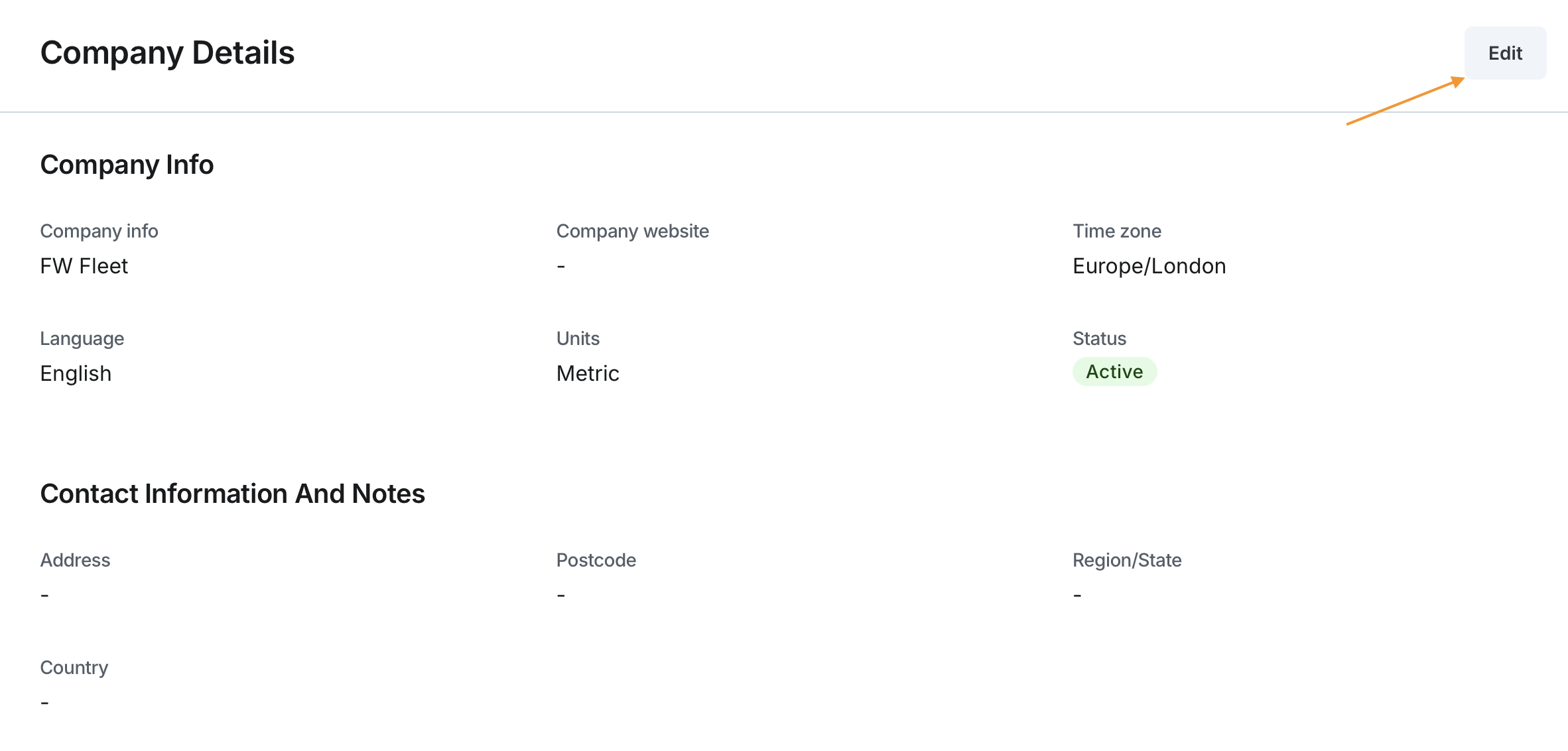
Access Company Details:
- Navigate to the Company section of the application.
- Click the Edit button to enable editing mode.
Edit Company Information:
The following fields can be updated:
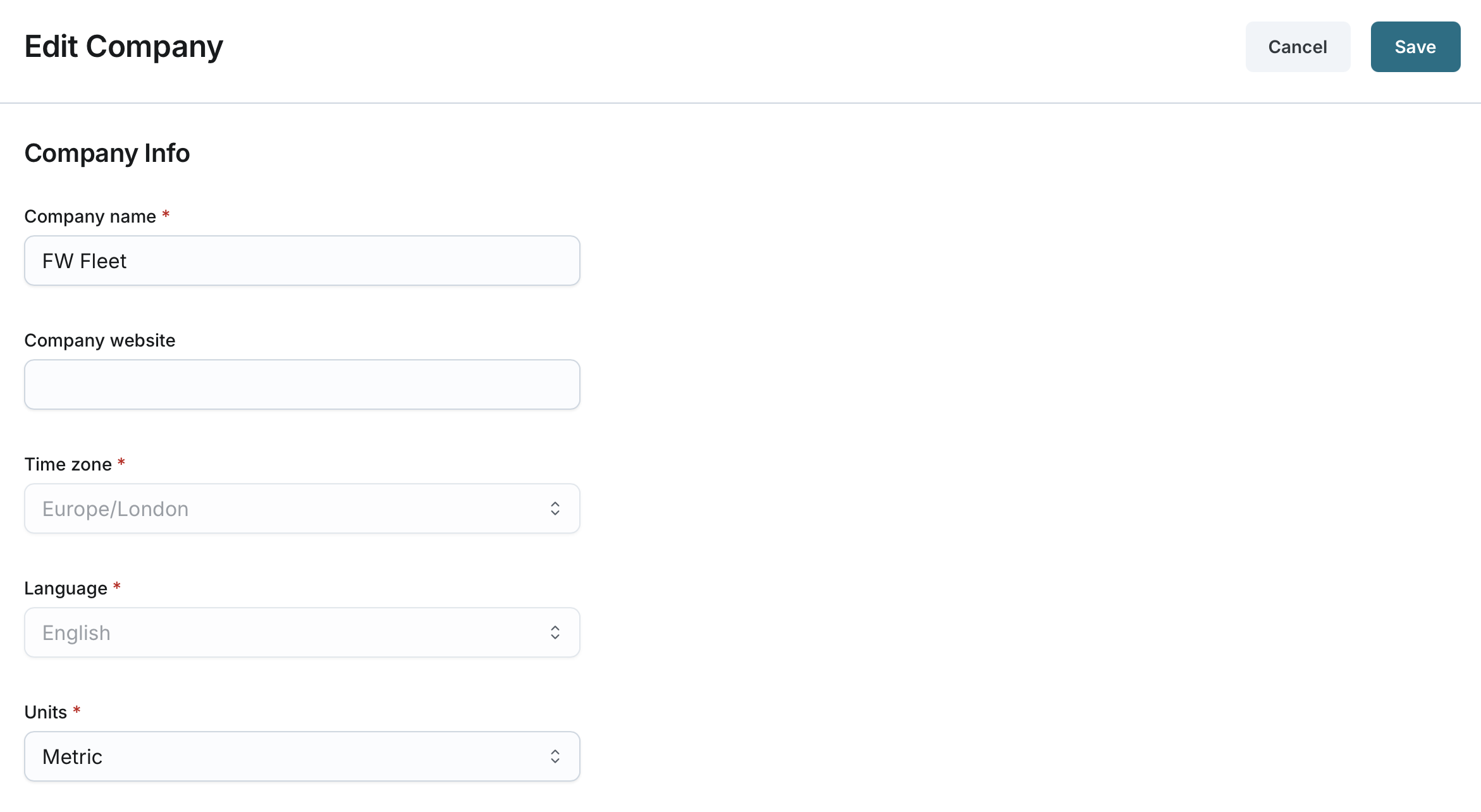
- Company Info:
- Company Name: Update the name of the company (2-50 characters).
- The name change will be reflected in the sidebar menu.
- Company Website: Modify the official website URL.
- Units: Select the measurement system (Metric or Imperial).
- Note: Time Zone and Language cannot be updated at this time. They default to Europe/London and English.
- Company Name: Update the name of the company (2-50 characters).
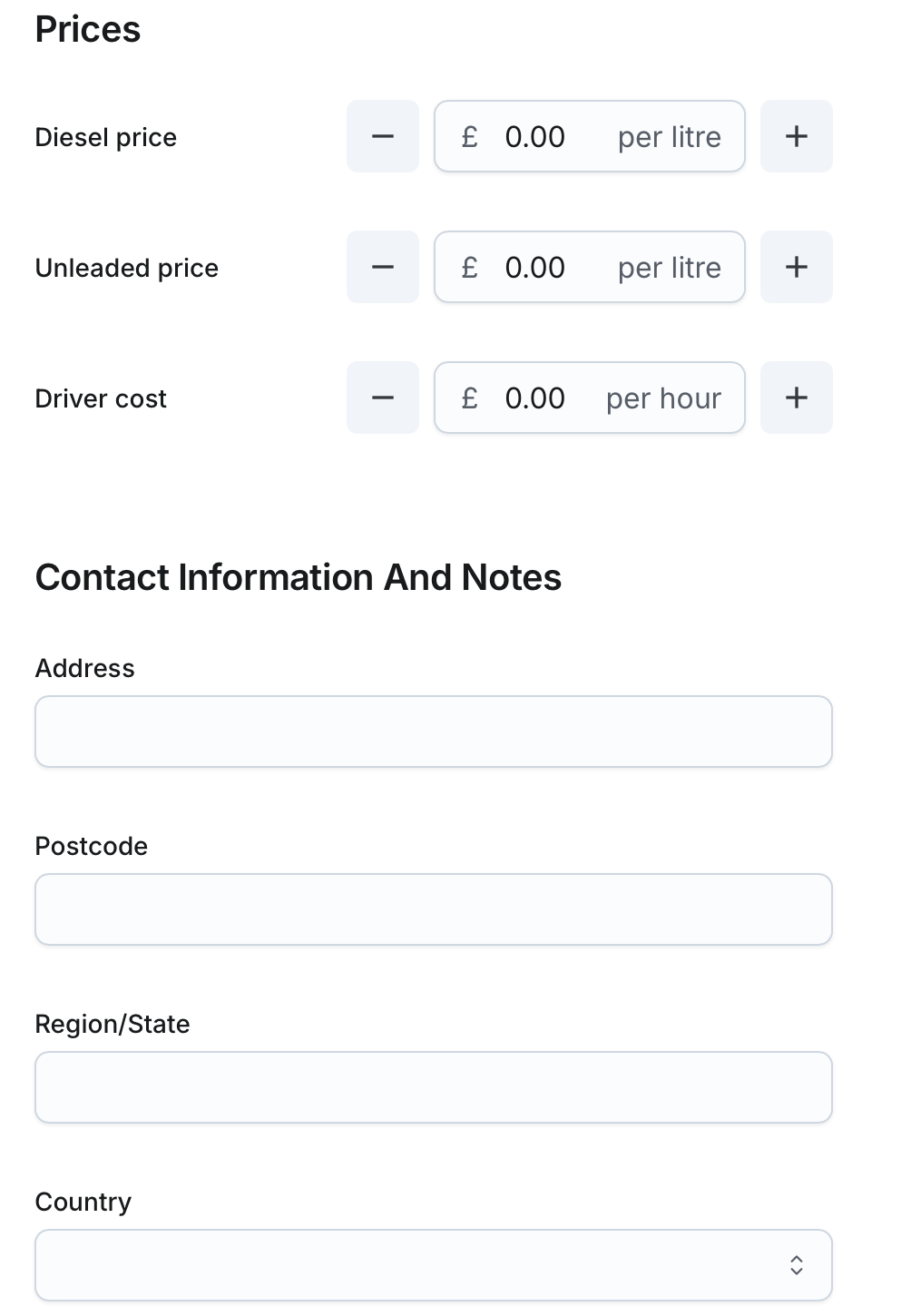
- Prices
- Diesel Price per Litre: Adjust the diesel fuel price.
- Unleaded Price per Litre: Update the unleaded fuel price.
- Driver Cost per Hour: Change the hourly cost associated with drivers.
- Contact Information and Notes:
- Address: Edit the company’s physical address (5-200 characters).
- Postcode: Update the postal code (3-10 characters).
- Region/State: Modify the region or state (2-50 characters).
- Country: Change the country if necessary.
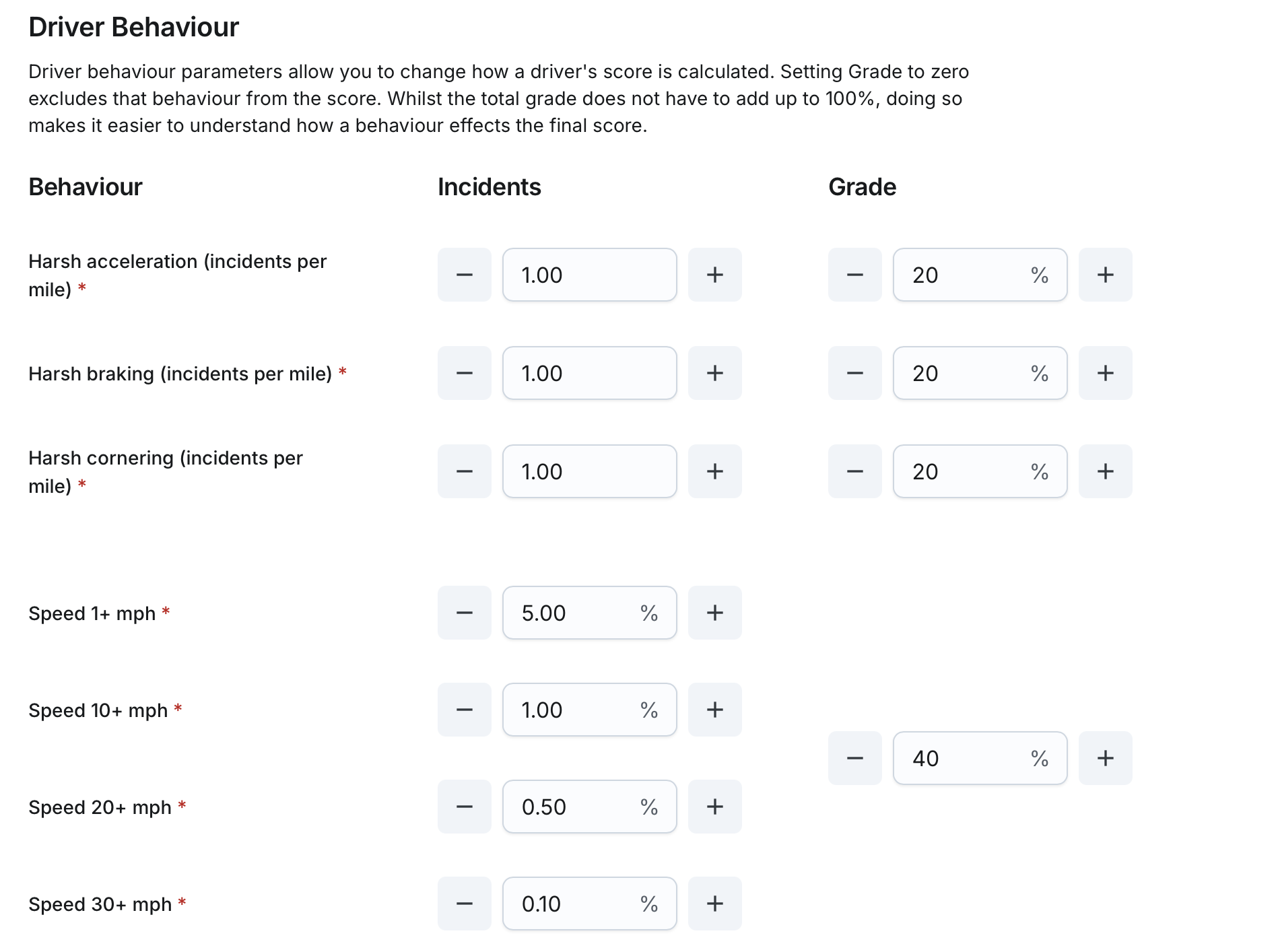
- Driver Behaviour:
- Incidents: Update incident thresholds or tracking.
- Grade: Modify grading criteria.
- Note: Driver behaviour functionality is coming soon and does not affect anything at the moment.
Save Updates:
- Click the Save button to apply changes.
- The updated company data will be reflected across the system immediately.