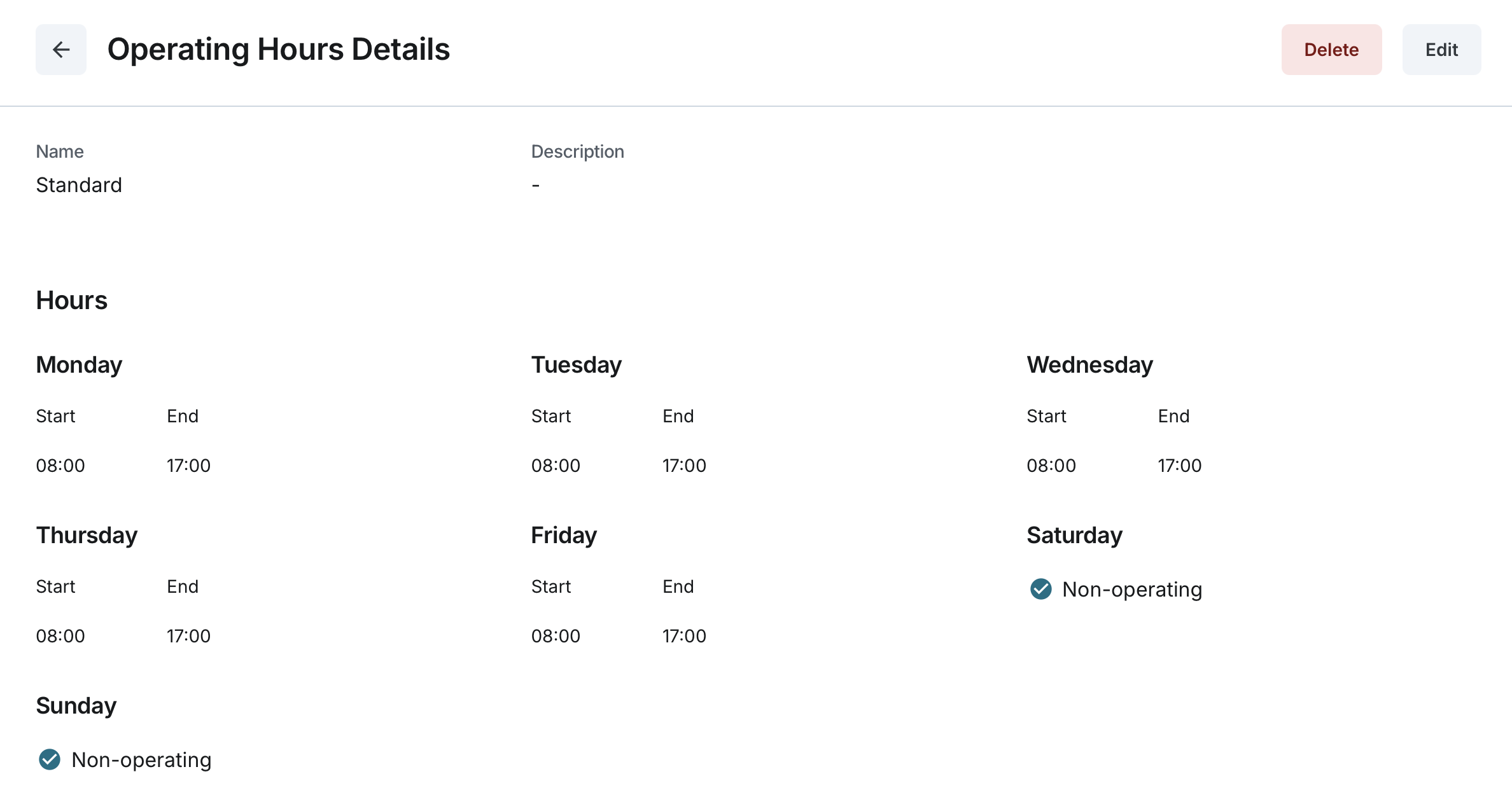
Operating Hours Details
Updated:
The Viewing Operating Hours Details page provides users with a comprehensive view of a specific set of operating hours.
Accessing Operating Hours Details:
- Navigate to the Operating Hours page from the main menu.
- Select the desired operating hours from the list.
- The system will display the details of the selected operating hours.

Information Displayed:
Each operating hours record includes the following details:
- General Information:
- Name: The unique name assigned to the operating hours.
- Description: Additional details describing the operating hours.
- Operating Schedule:
- A weekly schedule listing each day: Monday, Tuesday, Wednesday, Thursday, Friday, Saturday, and Sunday.
- For each day:
- A Non-operating checkbox indicates whether the day is marked as a non-operating day.
- Start and End fields display the operating time for that day.
- If the day is non-operating, start and end times are not applicable.
- Additional Time Intervals (If Configured):
- If an additional time interval was added for any day, it is displayed under the respective day.
- Each interval consists of a Start and End time.
- The system ensures the second interval starts after the first one ends.