Viewing the List of Driver Keys
Updated:
The Viewing the List of Driver Keys page allows you to see all configured driver keys associated with your company.
Navigating to the Driver Keys Page
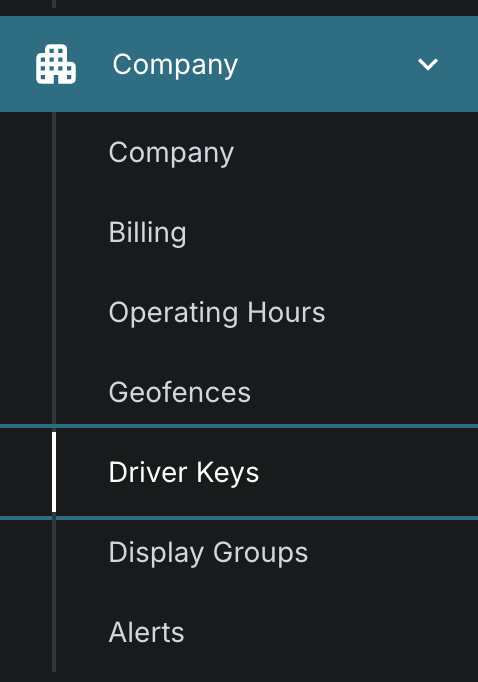
Go to the Driver Keys page from the main menu.
Viewing Driver Keys
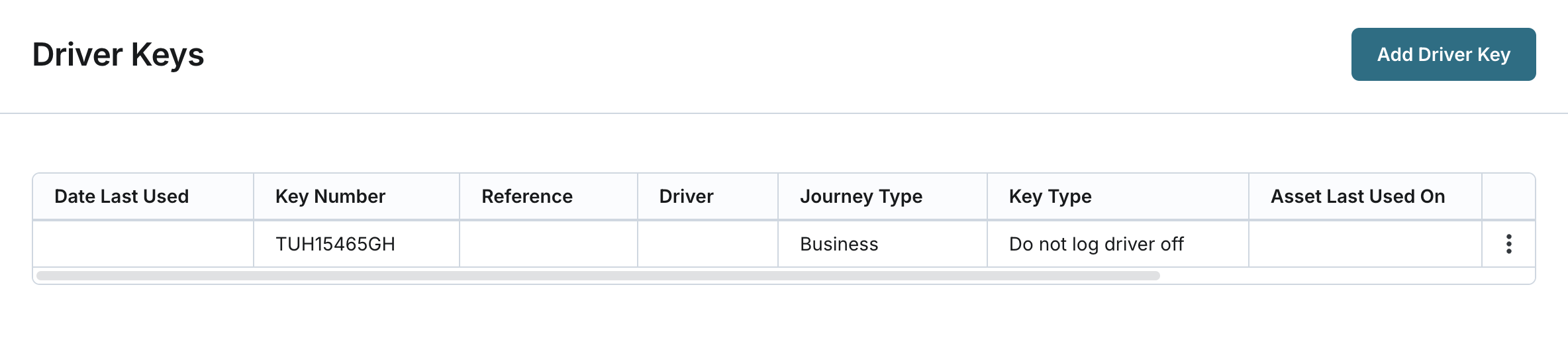
- You can view the list of driver keys configured in the system. By default, the list shows up to 30 driver keys per page. By default the driver keys are sorted by the Key Number.
- For each driver key in the list, the following information is displayed:
- Date Last Used: The date and time when the driver key was last used.
- Key Number: The unique identifier of the driver key.
- Reference: An optional reference field associated with the driver key.
- Driver: The full name of the driver associated with the driver key.
- Journey Type: Specifies whether the journey is Business or Private.
- Key Type: Defines how driver association is managed:
- Do not log driver off: The driver remains associated with the asset even if it is parked, unless another driver signs in or the original driver signs into a different vehicle.
- Log driver off: The driver is automatically de-associated when the vehicle's ignition is turned off.
- Asset Last Used On: The name of the asset where the driver key was last used.
- Card Expiry Date: Currently not populated (blank).
- License Number: Currently not populated (blank).