
Creating a New Driver Key
Updated:
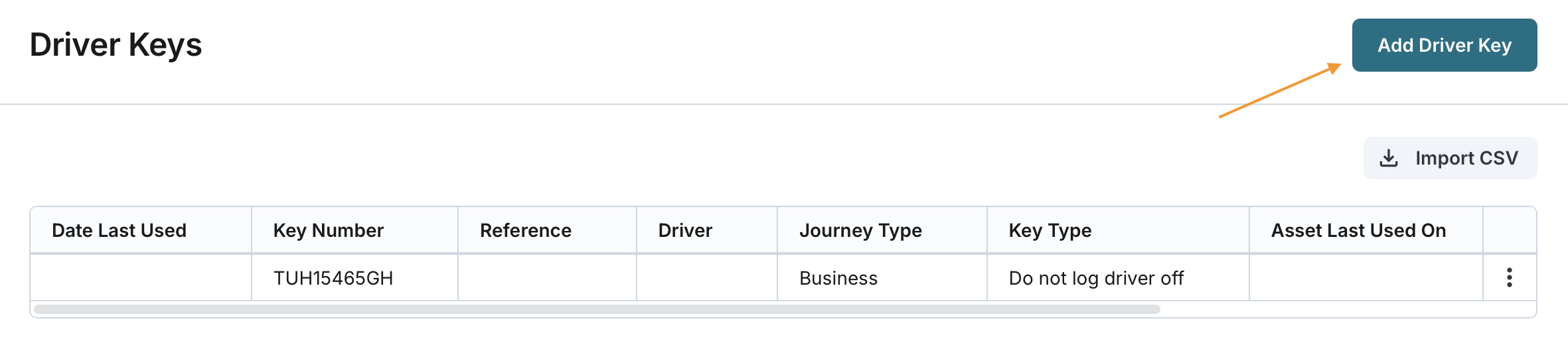
The Creating a New Driver Key page allows you to manually add new driver keys to your company.
Access Driver Keys:
- Navigate to the Driver Keys page from the main menu.
- Click the Add Driver Key button.
Enter Driver Key Information:
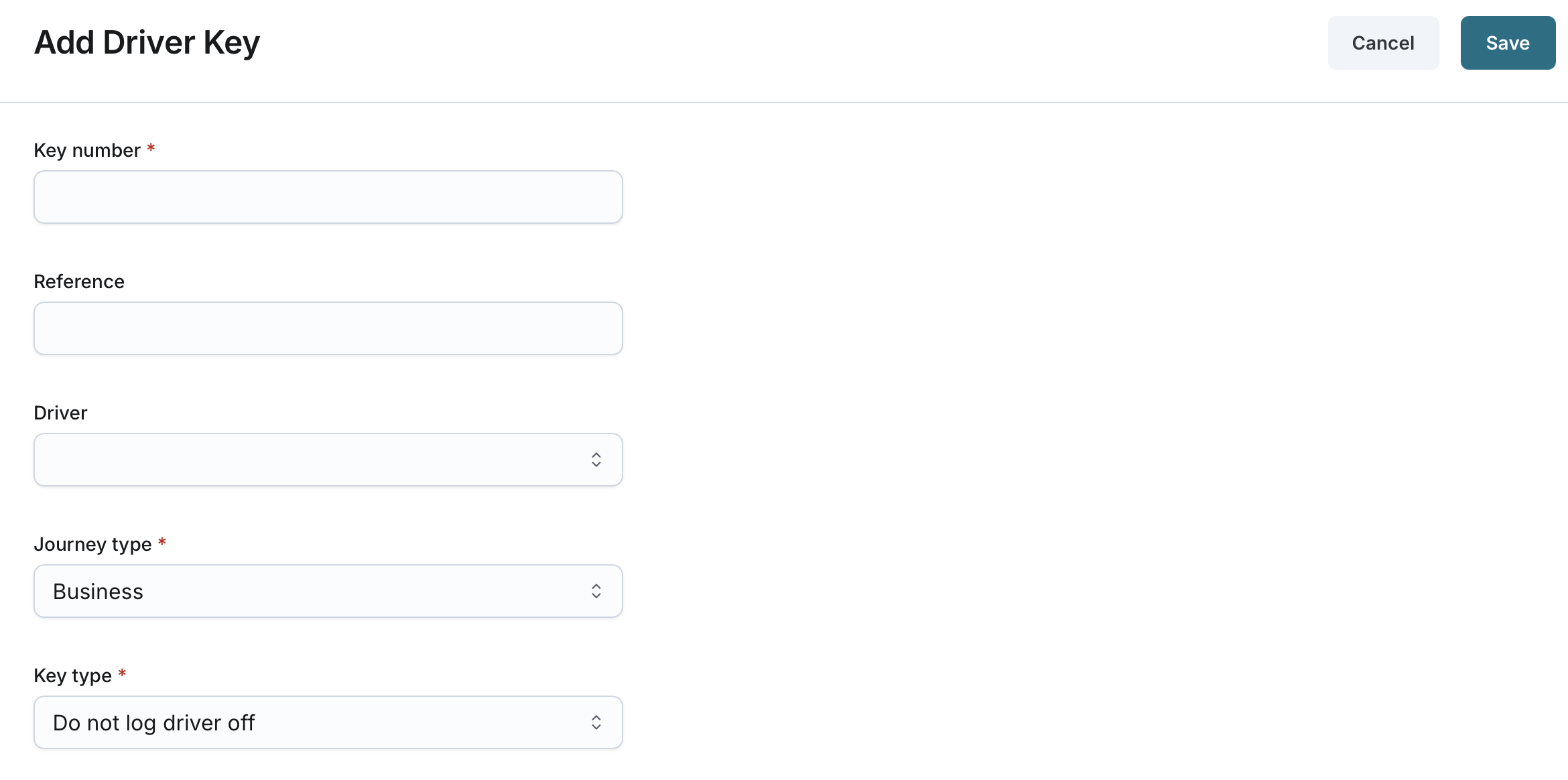
- Key Number (Required): Enter a unique alphanumeric key number (2-50 characters).
- Reference (Optional): Enter a reference name or code (2-50 characters).
- Driver (Optional): Select a driver from the list of users marked as "Is driver?" = Yes at your company. You can search through the list of alphabetically ordered drivers.
- Journey Type (Required): Choose either Business or Private.
- Key Type (Required): Choose either:
- Do not log driver off (default): Keeps the driver associated with the asset even when parked, unless another driver signs in or the original driver signs into a different asset.
- Log driver off: Automatically de-associates the driver when the asset's ignition is turned off.
- Click Save to create the driver key.
Automatic Driver Key Creation
The system may also auto-create driver keys based on the following logic:
- When a tracker (any tracker type) paired with a company asset sends a report packet containing a driver key that does not yet exist in the company, the system will auto-create the driver key with the following settings:
- Key Number: From tracker data.
- Journey Type: Business.
- Key Type: Do not log driver off.
Auto-Creating a Driver User
- If the tracker (FMx6xx type only) also communicates a driver, the system will auto-create the driver user with the following settings:
- Full Name: From tracker data.
- Email: System-generated unique email.
- Display Group: Assigned to the same display group as the asset associated with the tracker.
- Limit Visible Assets: Unchecked.
- Permissions: Driver (default permission group).
- Is driver?: Yes.
- Time zone: Europe/London.
- Status: Not Activated.
- If the system cannot create either the key or the driver, neither will be created. Additionally, if the driver associated with a driver key is manually updated by the user at a later time, and the tracker subsequently sends a different driver with the same key, the system will ignore the incoming driver data, keeping the manually set driver associated with the key.
