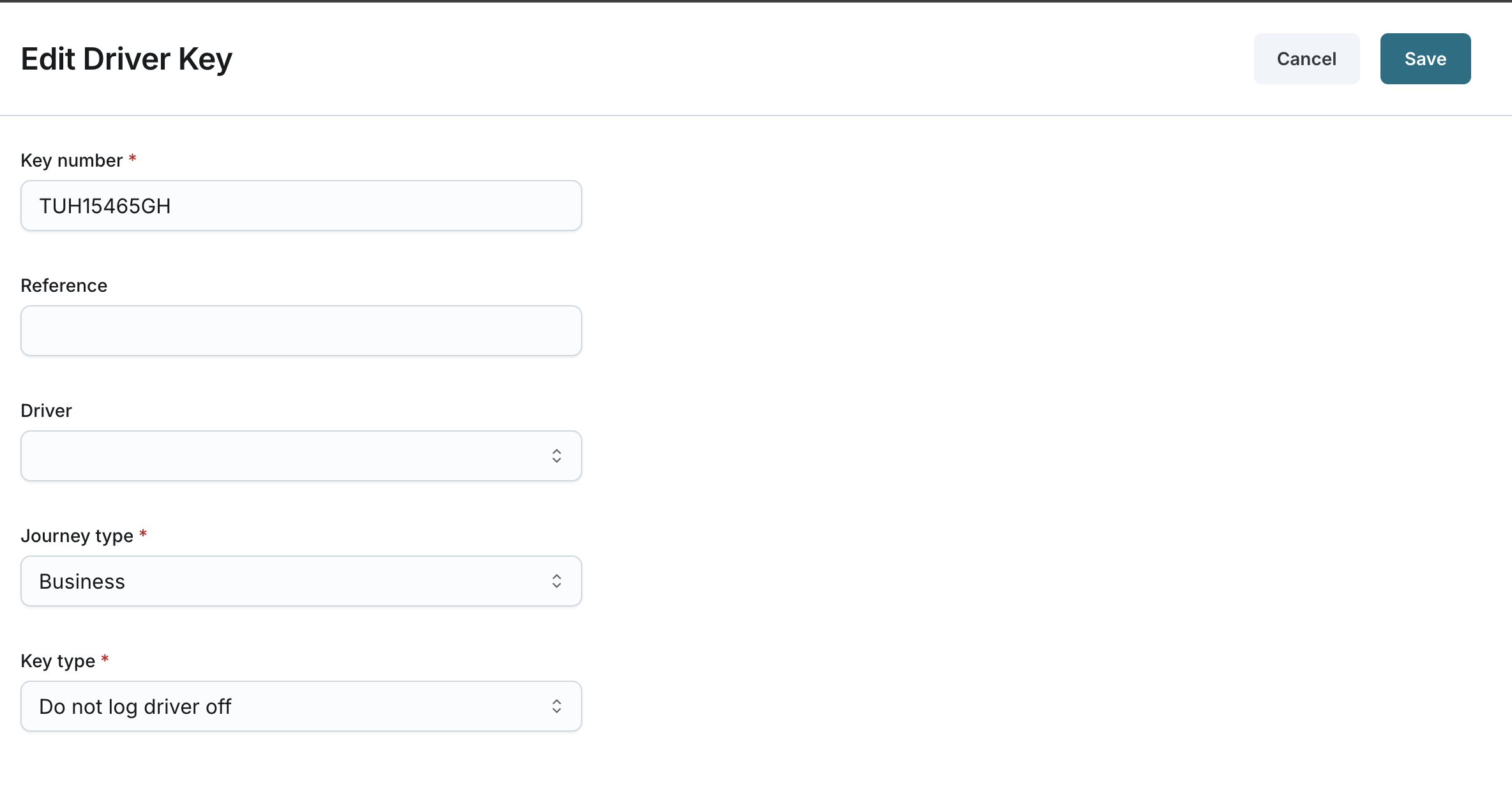
Editing a Driver Key
Updated:
The Editing a Driver Key page allows you to update the details of an existing driver key in your company.
Accessing the Driver Key Editing Page
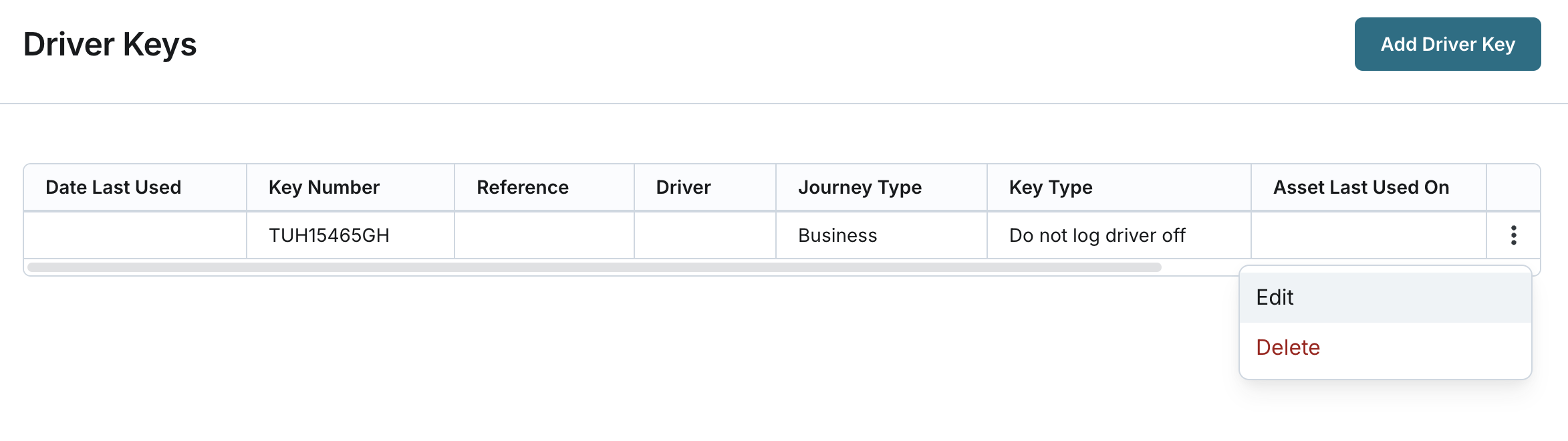
- Navigate to the Driver Keys page from the main menu.
- Locate the driver key you want to edit from the list and click the Edit button next to it.
Modify Driver Key Information:
Update the following fields as needed:
- Key Number: Modify the unique alphanumeric key number (2-50 characters).
- Reference: Update the reference name or code (2-50 characters).
- Driver: Change the assigned driver by selecting a different user from the list.
- Journey Type: Switch between Business and Private.
- Key Type: Update the key type to either:
- Do not log driver off: Keeps the driver associated with the asset even when parked, unless another driver signs in or the driver signs into a different asset.
- Log driver off: Automatically de-associates the driver when the asset's ignition is turned off.
- Click Save to apply the changes.