
Deleting a Display Group
Updated:
The Deleting a Display Group process allows users to remove an existing display group, provided it is noy assigned to any users or assets.
Access Display Group Deletion:
You can initiate deletion from two locations:
- From the Display Groups List: Locate the group in the list and click the action button to delete.
- From Display Group Details: Click on the display group’s name in the list to open its details page, then select the option to delete.
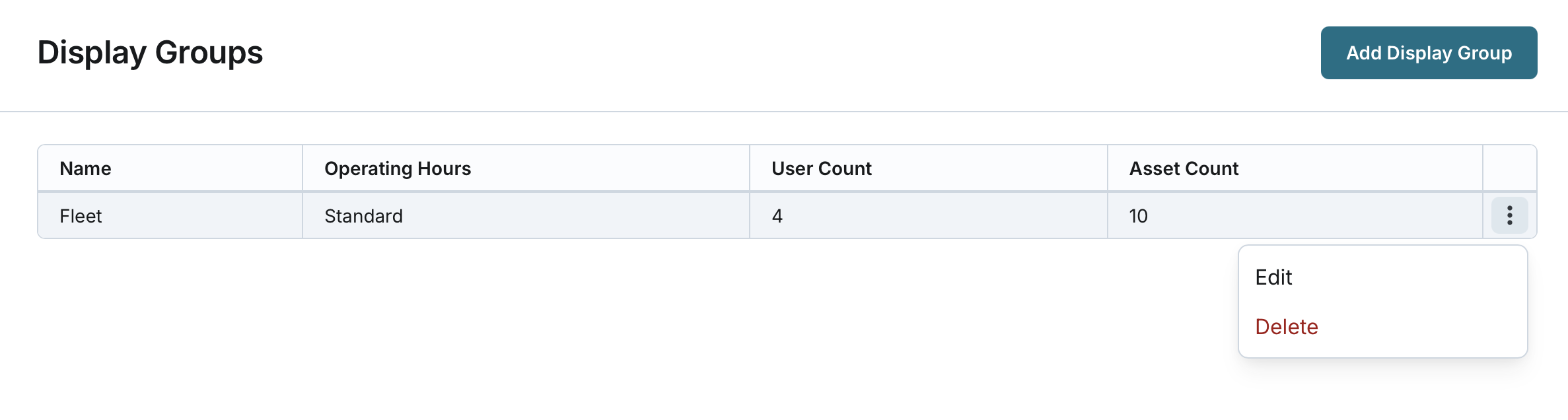

Confirm Deletion:
- The system will ask you to confirm the deletion.
- Click Confirm to proceed.
- The system checks if the display group is assigned to any users (regardless of user status) or assets (regardless of asset status).
- If the display group is assigned to users or assets, the system stops the deletion.
- You must remove all assignments before retrying the deletion.
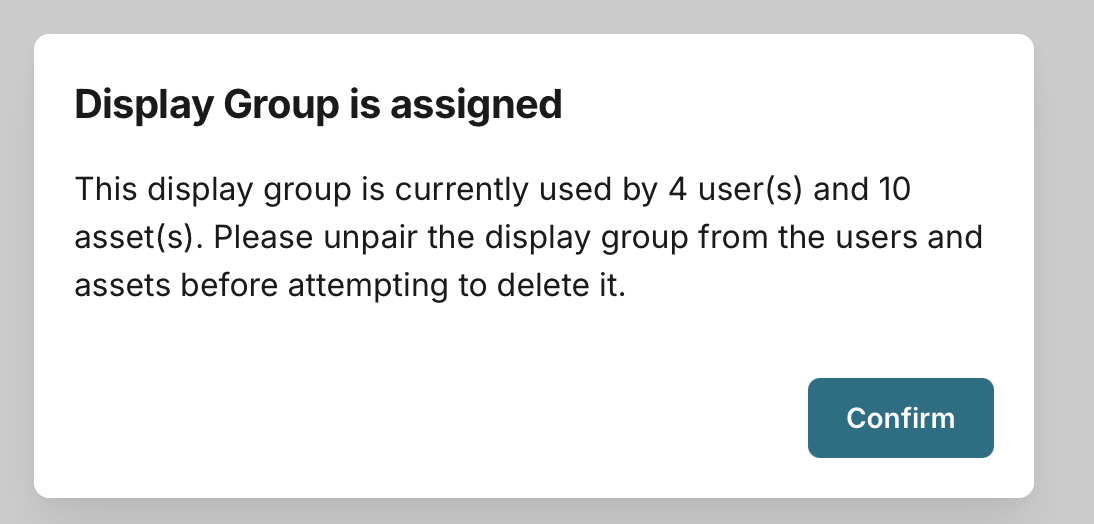
Complete Deletion:
- If the display group is unassigned, the system removes it.
- The Display Groups page refreshes to reflect the deletion.
