
Viewing User Details
Updated:
Follow these steps to view a user's details in the application:
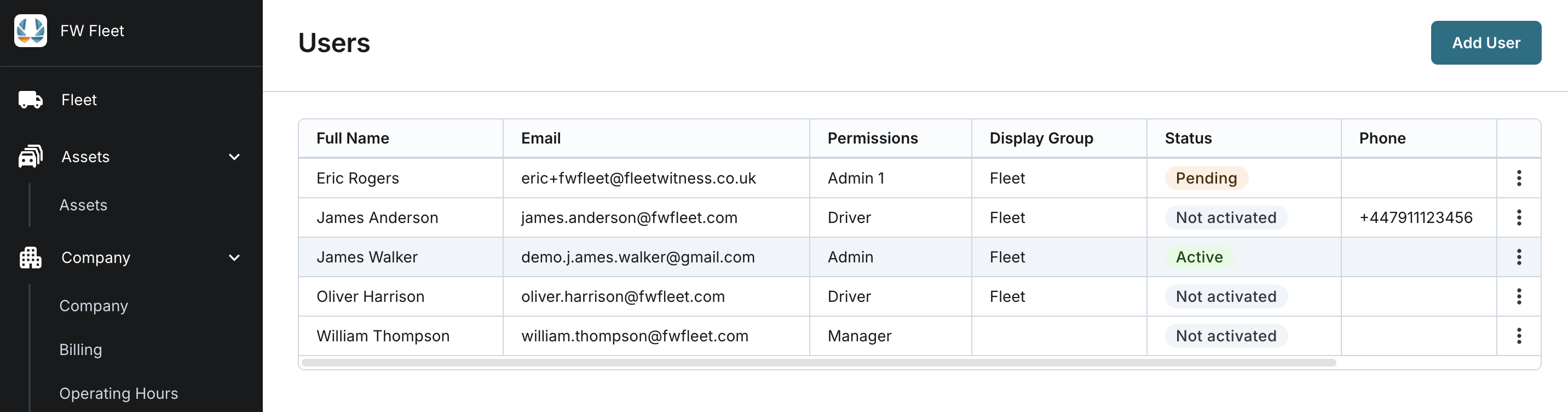
Access Users
- Navigate to the Users section of the application.
- Locate the user in the list.
- Click the user's name to open their details page.
Review User Information
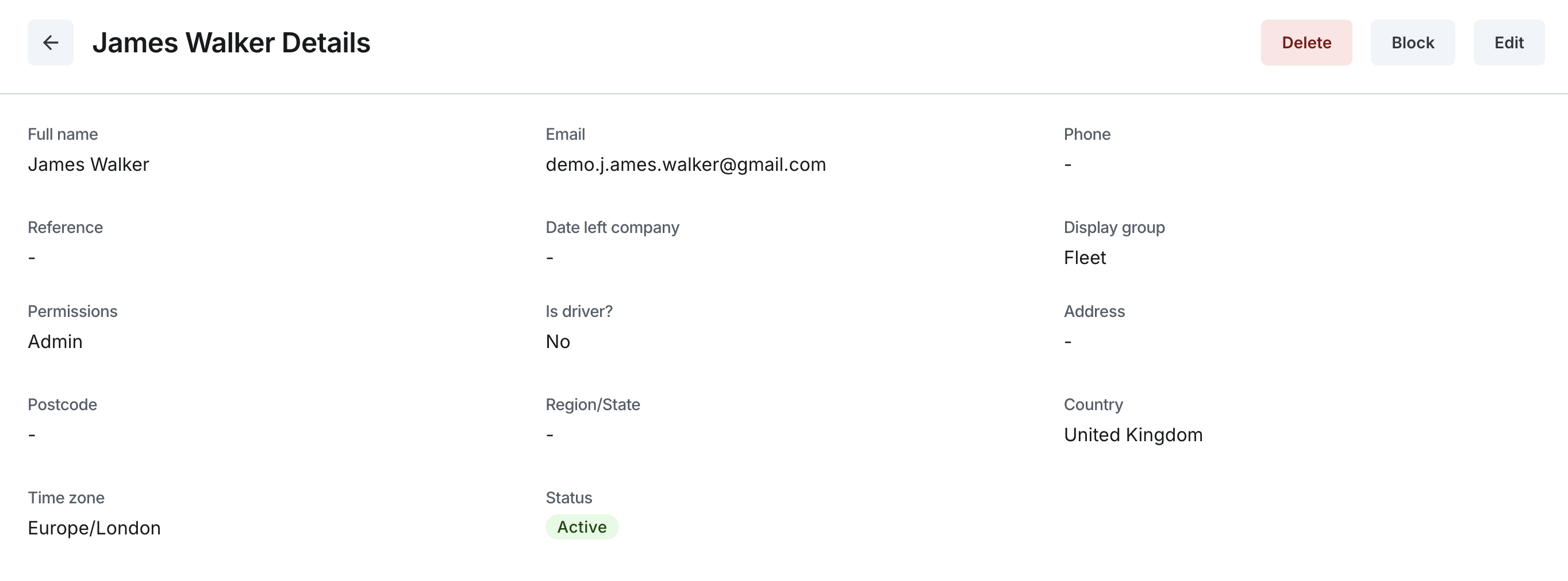
On the user details page, you can view:
- Full Name: the user's full name
- Email: The user's registered email.
- Phone: Contact number, if any provided.
- Reference: Any reference notes associated with the user.
- Date Left Company: The recorded date when the user left the company, if applicable.
Check Visibility Settings
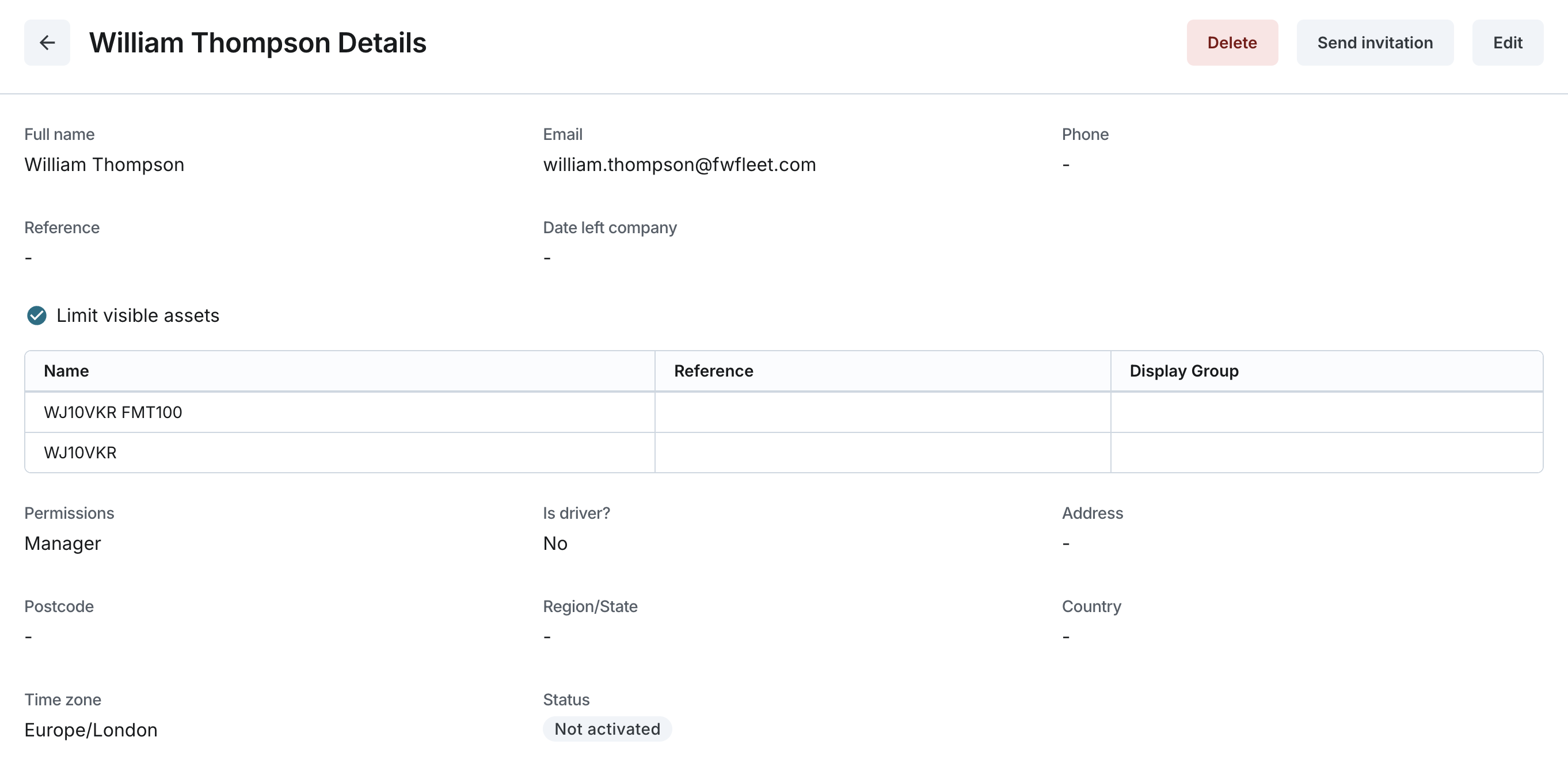
- Display Group: The assigned display groups for the user. This field is blank if the user is limited by visible assets.
- Limited Visible Assets: If this option is selected, the user is restricted to specific assets rather than a display group.
- The list of visible assets includes:
- Name: Asset name.
- Reference: Asset reference.
- Display Group: The display group associated with each asset.
- The list of visible assets includes:
Review Permissions and Driver Status
- Permissions: The permissions granted to the user.
- Is Driver?: Indicates if the user is marked as a driver.
View Address Information
- Address: The user's address, if provided.
- Postcode: The postcode associated with the address.
- Region/State: The user's region or state.
- Country: The user's country.
- Time Zone: The user's time zone. This defaults to Europe/London and cannot be changed at this time.
Status
- Status: The user's current status:
- Not Activated: The user has been added to the system but has not yet been invited to the application.
- Pending: An invitation has been sent, but the user has not set up a permanent password.
- Active: The user has successfully set up a permanent password.
- Blocked: The user has been blocked by an admin.
